Behind the scenes
Meet Blink: talk to your Mac, it does it
Blink is an app for your Mac. You hold a key, you say what you want, you let go. It does it.
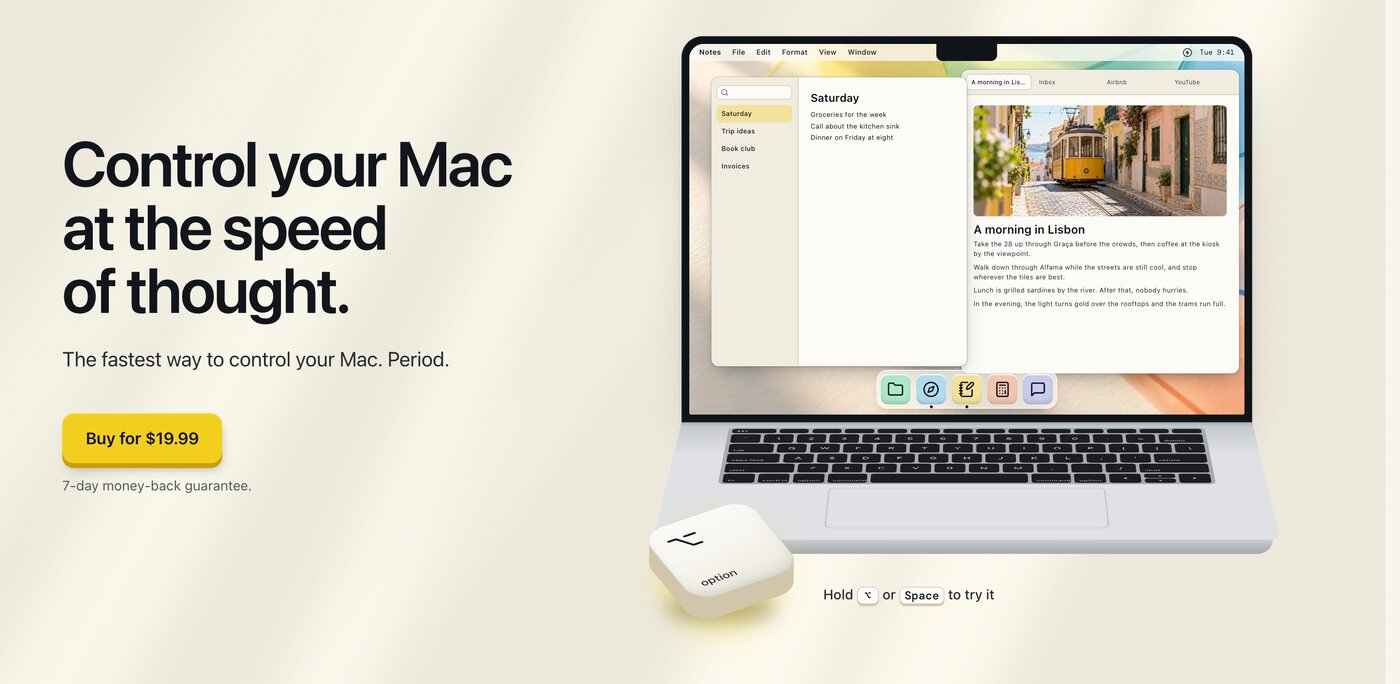
That's the whole idea. "Open Calculator." "Make it bold." "Switch to the Gmail tab." "Search YouTube for lofi beats." You say it, it happens, and you never touched the mouse.
Why did I build it?
It started with dictation. I began talking to LLMs and to my agents instead of typing, and after a while I noticed how much faster it was. Not a little faster. A lot.
Then I thought: why only for typing? I do the same small things on my Mac all day. Open this app, click that menu, find that tab, put two windows next to each other. Each one takes a couple of seconds, but it adds up, and it breaks whatever I was thinking about.
So I tried to use my voice for the whole Mac. The tools I found were slow, or dumb, or both. You say something, you wait, it guesses wrong, you say it again. At that point it's faster to just click.
So I made one that doesn't make you wait.
What can it do?
It reads what's on your screen, so you can say the name of a thing and Blink presses it. A button, a menu item, a link, a tab. You don't need to learn special commands. If you can see it, you can say it.
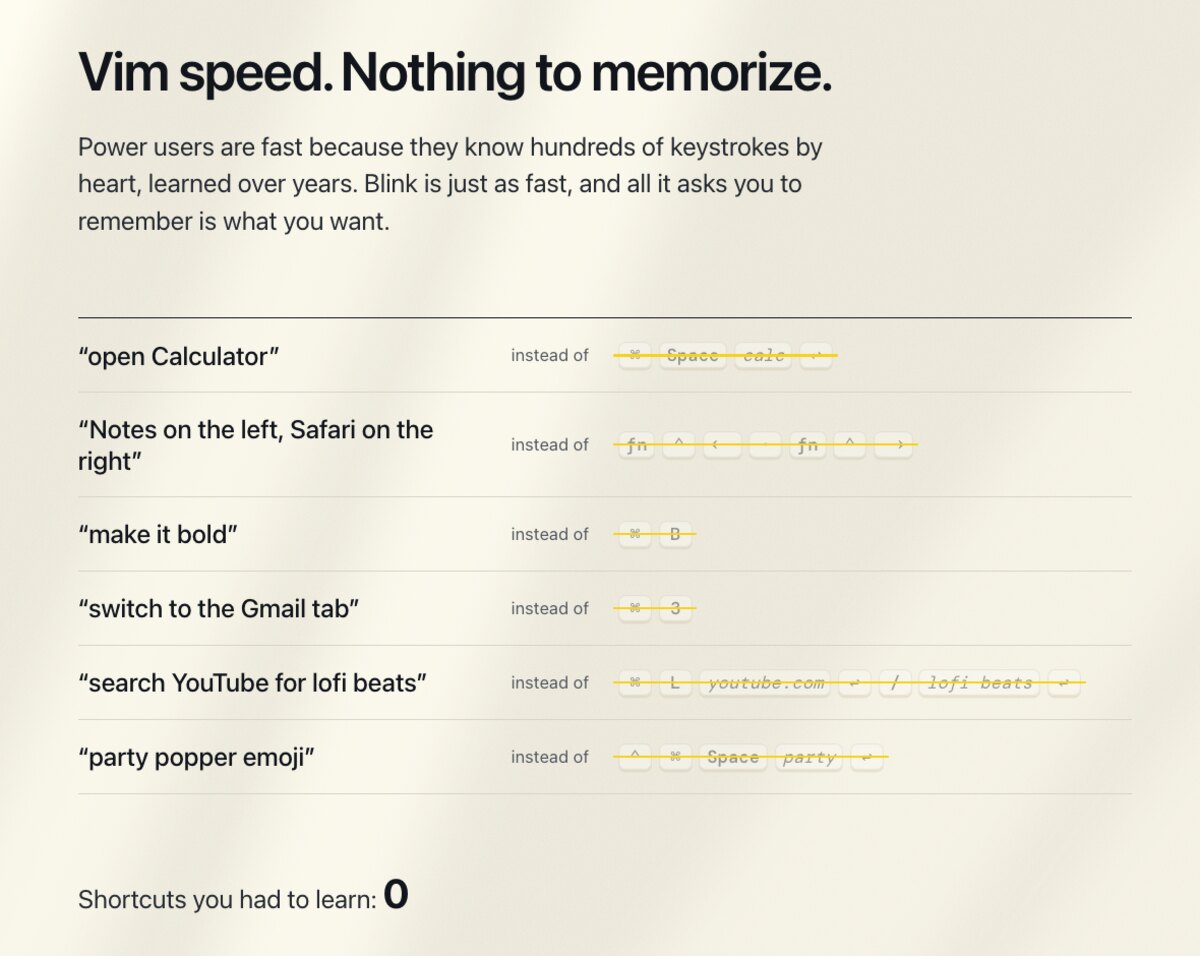
Some things I use every day:
- "Open Calculator", "Notes on the left, Safari on the right". Apps and windows.
- "Make it bold". Blink finds Format, Font, Bold in the menu and clicks it for you.
- "Go to history". On a web page, it clicks that page's own History link. It works in Safari, Chrome, Brave, Arc, Edge and Vivaldi.
- "Let's go, party popper emoji". It types the words and the emoji. Yes, that one is mostly for fun.
If it's not sure what you meant, it shows you a few choices and you pick one. Next time it remembers. If it still gets it wrong, you can show it what you wanted, and it learns that too.
Can I use it without holding a key?
Yes. Turn on Listen Always and a short command runs as soon as you pause. For anything longer or more open, start with "Blink". It goes quiet during calls, while something is playing, and when you step away. And it's off until you turn it on.
What's a macro?
Not the food kind.
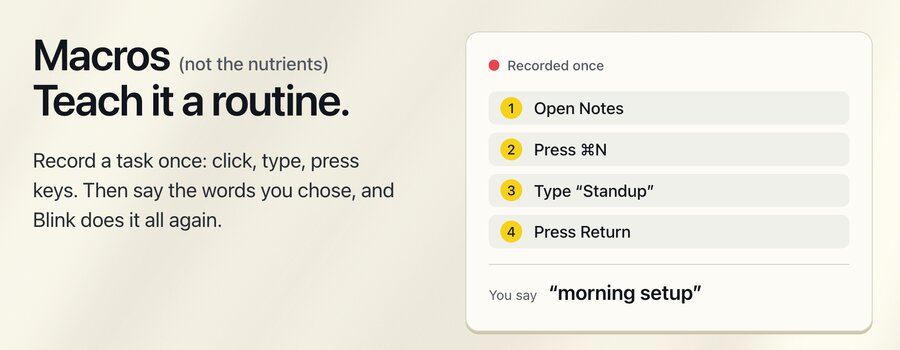
A macro is a routine you teach Blink once. You pick the words, like "morning setup". Then you do the task yourself: click, type, press keys, while Blink watches. Next time you just say the words and Blink does all of it again.

Blink records each step by what it is (a menu item, a button), not by where it was on the screen. So it still works when a window sits somewhere else. If something fails, it tells you which step and why.
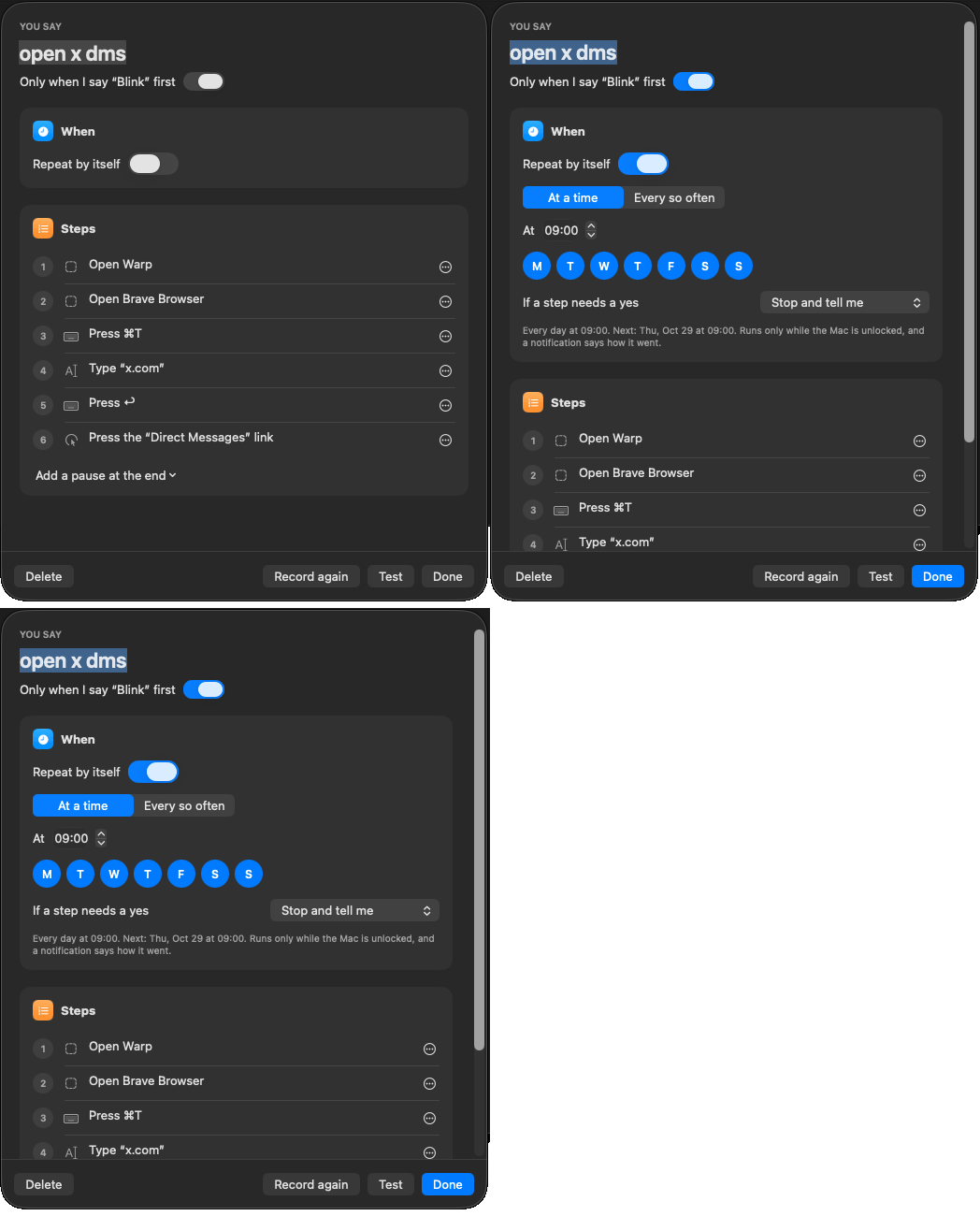
You can also tell a macro to run by itself. Every day at 9, or every two hours, on the days you pick. Here's me switching it on:
A few rules I care about:
- Anything risky, like sending or deleting, asks first. If you schedule a macro and nobody is there to say yes, you choose what happens: stop and tell you, skip that step, or do it anyway. "Do it anyway" is there, but it can be dangerous, so think first.
- A password you type while recording is never saved.
- A scheduled macro only runs while your Mac is unlocked, and a notification tells you how it went.
What about my privacy?
Your voice is turned into words on your Mac. Your screen is read on your Mac. Nothing you say or see is sent anywhere. No account, no analytics. It works with Wi-Fi off. The only downloads are the speech models you choose to add.
You can use the one built into macOS, or a faster and more accurate model that runs on your Mac (about 500 MB, only if you want it). There's also an optional bigger model for vague requests. It's about 7 GB, and it also stays on your Mac.
Doesn't macOS already do this?
Kind of. macOS has Voice Control and Dictation, and they're free. If they already work for you, keep using them.
Blink comes in where they get slow or clumsy for me: short commands you say fifty times a day, with no numbered grids and no "click" before every word. And it lets you teach it your own routines.
Will it be the best one?
That's what I'm going for. I want Blink to be the fastest and simplest way to run your Mac with your voice, and I think the way to get there is to keep it fast, keep it private, and listen to the people who use it. I'm not going to claim I'm there on day one. I'll show you instead, and you can judge.
It's early. Right now it's English only, it needs a Mac with Apple silicon on macOS 26 Tahoe or later, and it will mishear you sometimes. When it does, tell me.
How much is it?
$19.99, paid once, for the first 50 copies. The price goes up after that. There's no subscription, and you get your money back within 7 days if it's not for you. You can see everything on the home page.
What do you want from me?
Try it, and tell me what's broken, what's missing, and what you wish it did. I read every message myself: feedback@blink.ink.
If you have a routine you'd love to say out loud instead of clicking through, tell me that too. It might be the next thing I show here.